Sometimes, I feel like a human GPS navigator. And there are probably many more of us out there. Ever get a call from your wife, asking you to direct her to some remote place she is trying to drive to? My solution was to get a TomTom 500 navigator for her birthday. It comes with the maps for Spain in full detail, and a basic map of Europe, with main roads and cities. It can also be used as a Bluetooth handsfree for your mobile phone, so it’s quite a convenient device.
We set about trying it during a trip to visit my mother – since I knew the way, it would be a good sanity check on the navigator’s ability to lower our phone bills. When I told it where we wanted to go, and it told us to turn west instead of east, I started imagining what would happen. After a few minutes of following the navigator’s instructions without even looking out the window, this is where we ended up:
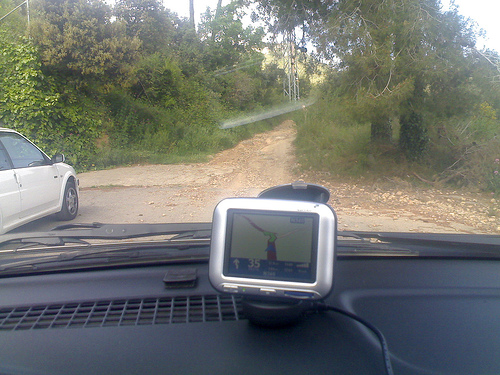 Yes. It wanted us to go up a dirt path that only horses (and fit ones at that) can manage. Take a close look at the full-resolution picture, and judge by yourself.
After turning around, and following the route we always take, we had to turn off the sound for almost half the trip, as it kept insisting that we should “turn around as soon as possible” so we could take the easy-going dirt track.
GPS navigator manufacturers only make the devices, but not the data that’s in them. There are a few companies, such as Navtech and TeleAltlas, who take care of that, and license the use of the data. In this case, it seems that overzealous cartographers had simply taken anything that looked like a road in survey maps, and turned them into navigable paths. The result is my unfortunate experience. The collateral is that my wife doesn’t trust the device, unless it’s for navigating within city limits – thus limiting it’s usefulness, and not limiting my phone bill so much.
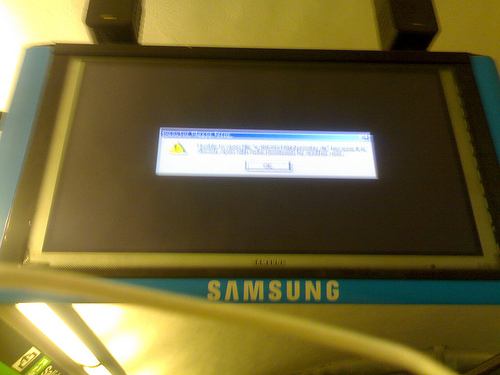 HUDs are public displays, screens and panels which are caught showing something they shouldn’t be, by fault or by hack. There is a classic roadside HUD